
University of the Nations, Kona, Digital Library is available to all current staff and students to have a subscription.
Follow this link to register for an account. https://digital.ywam.life/library
Opps, I have a problem. I have a recommendation.
Once registered we generally create new accounts with in a day, and you will receive an Welcome email.
In the mean time you can go and see the Digital Library here:
https://uofnkona.overdrive.com.

We use the Libby app to provide our books to you.
Go to the Apple App Store or Android Play Store and download Libby.
https://play.google.com/
https://apps.apple.com/
Go to the Apple App Store or Android Play Store and download Libby.
https://play.google.com/
https://apps.apple.com/
Below are the full instructions for installing Libby.
Installing Libby

Click on “Install”.
Now “Open” to start the process of setting up your account.

Yes, you have “a Library Card”.

You want to use “I’ll Search For A Library”.
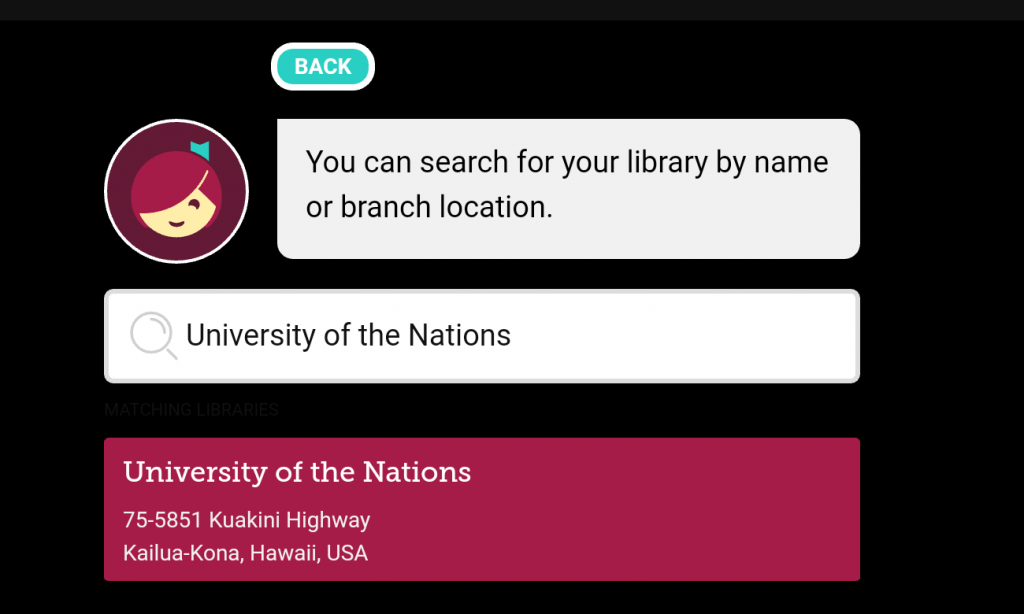
Search for “University of the Nations”.
Then click on the Name Badge for us.
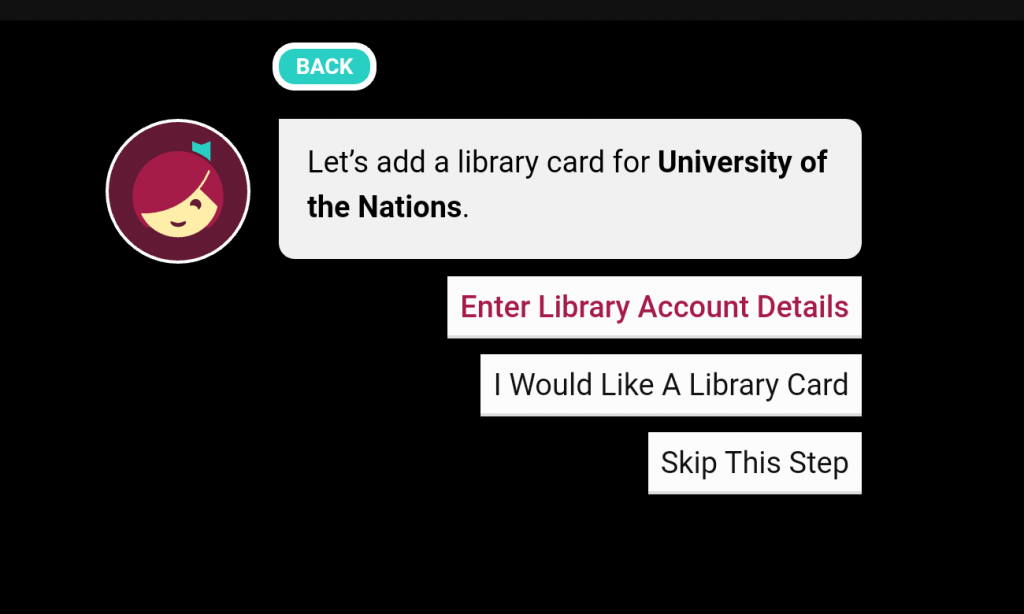
You want to “Enter Library Account Details”.

Put in the ID & PIN from the email we sent you.
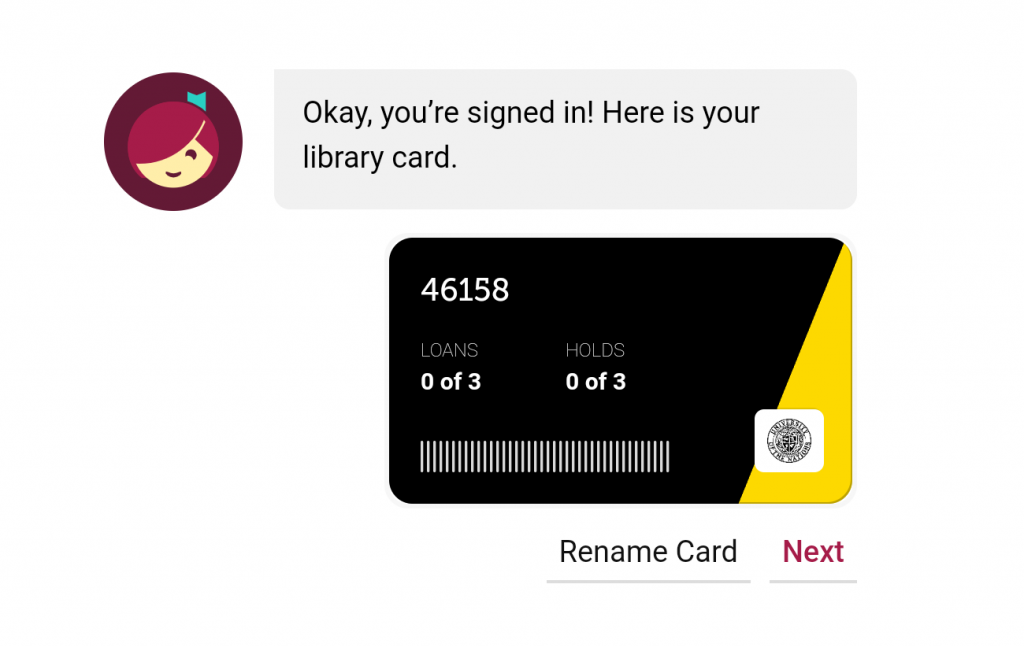
Click Next, you are done.
