
Being a Google Workspace Admin
Google for non-profits. [Last Updated December 2025.]

Setting up Google workspace
So now you are a Google Workspace Admin.
Congratulations, I think.
You have 2,000 email addresses you can use, but you may only ever use 50.
You have 100 TB of online storage.
And you have more tools than you knew existed.
What are the steps?
First, go to https://www.google.com/nonprofits/
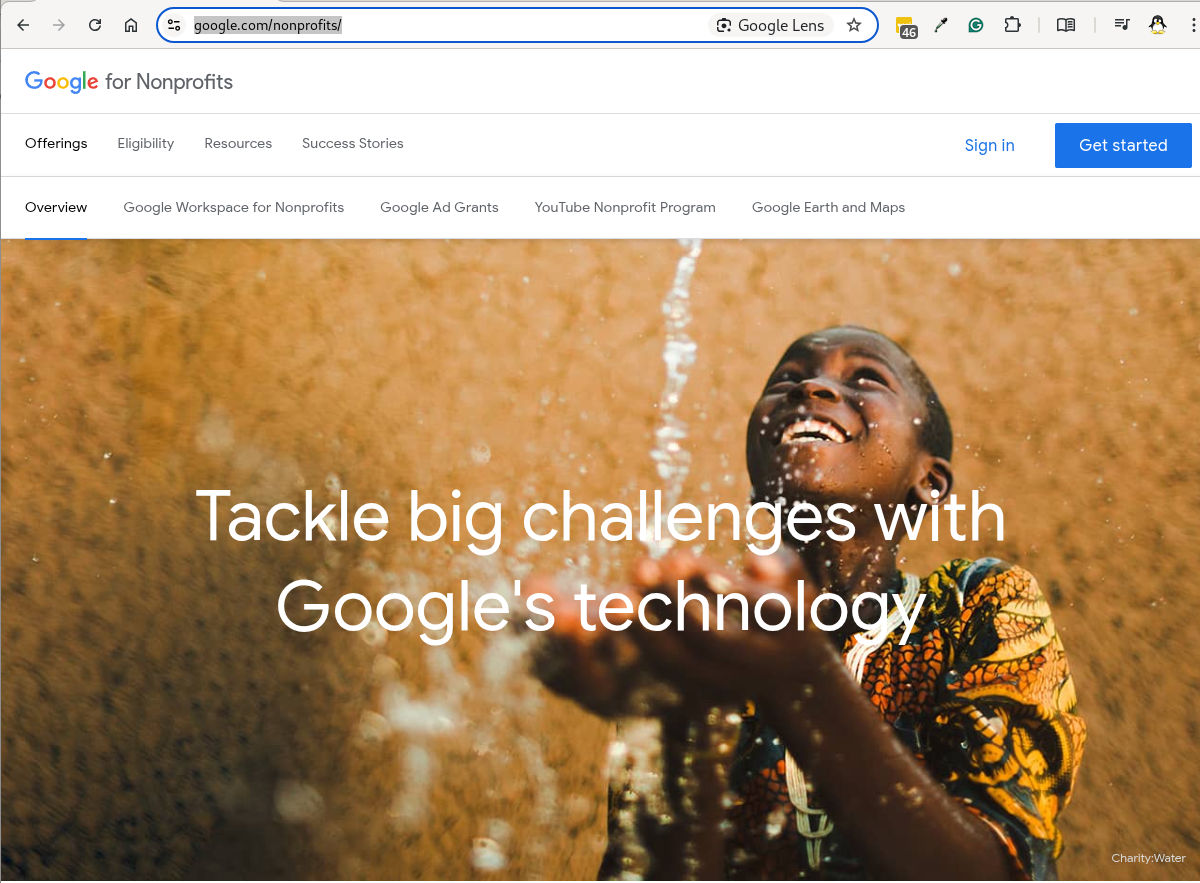
Sign in with the account you want to use as the first Admin.
You will then see a screen like this:
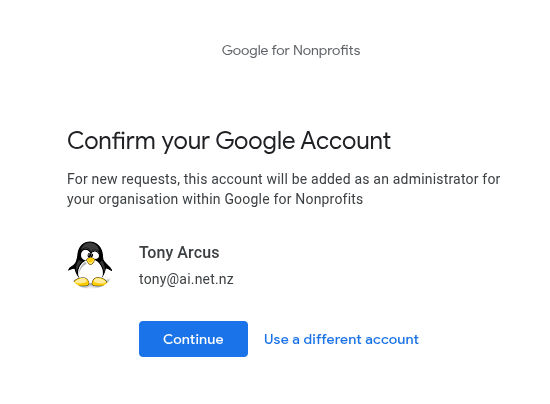
Click on Continue.
You should have a page with a button on called 
Let the site know that you are a charity by clicking next.
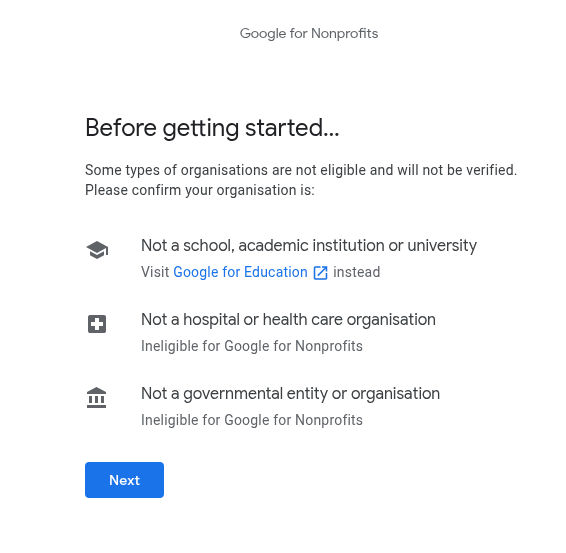
You will now have a page with a list of countries that can register with Google for Non-Profit.
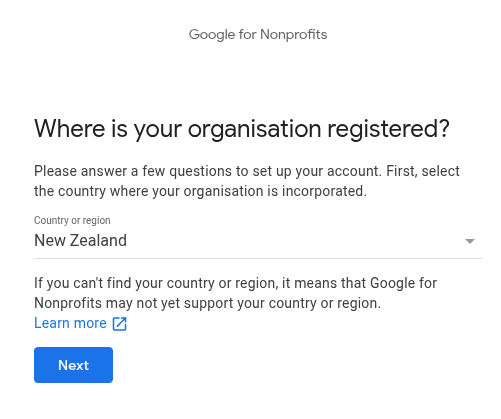
Having found your country, click Next.
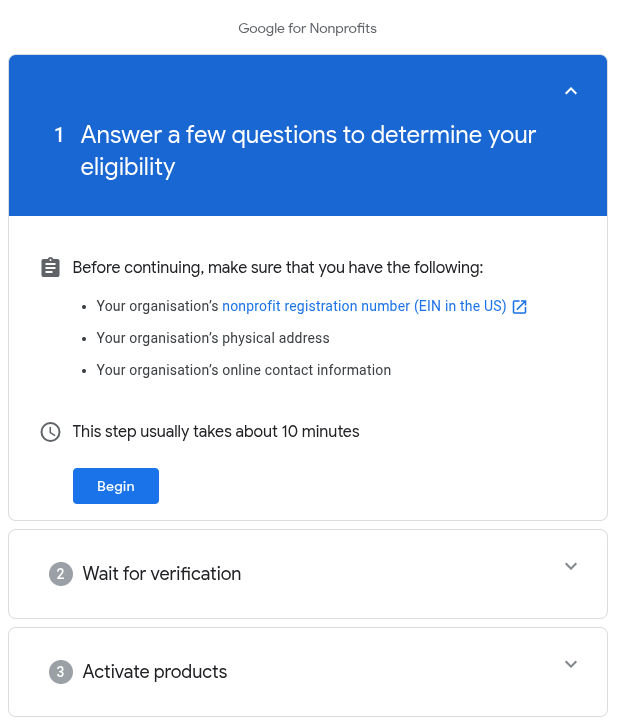
Click on Begin.
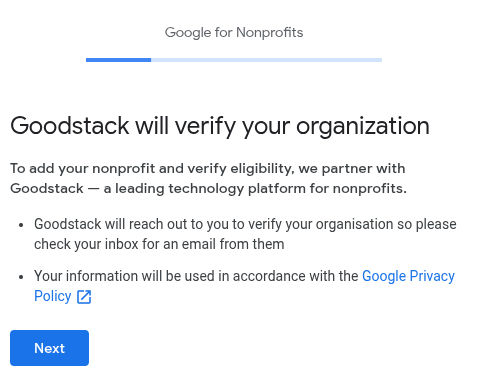
Previously, we did this via TechSoup, but Google is now using Goodstack.
Click Next.
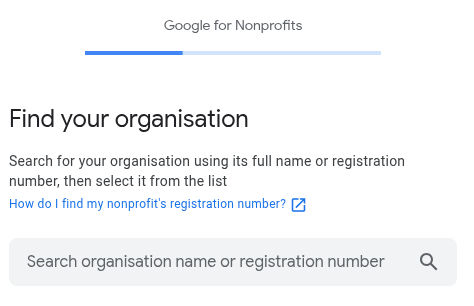
I can not take you much further than this, as I don’t have a site to do, but in the case of New Zealand, if you enter your charity’s name, Goodstack will find it.
If you have any questions, reach out to me and I can help you.
Letting people change their profile picture.
Straight out of the box, People can not upload a picture to their profile.
⚙️ How to Enable User Profile Picture Edits
You will need to perform these steps from your Google Admin console:
- Sign in to your Google Admin console at admin.google.com using your administrator account.
- Go to the Menu ☰ (top-left) 2–> Directory –> Directory settings.
- In the list of settings, find and click on Profile editing.
- You will see a section called Profile editing with several checkboxes. Check the box next to Photo (To allow users to edit their profile photos).
- Optional: While you are here, you can also decide if you want to let them edit their name, gender, pronouns, etc.
- Click Save.
Your Banner Logo
🎨 Replacing the Default Google Logo
You will perform this from your Google Admin console to apply the logo across all user accounts in your domain.
- Sign in to your Google Admin console at admin.google.com using your administrator account.
- Go to the Menu ☰ (top-left) –> Account –> Account settings.
- Click on the Personalization panel
(you may need to click the down arrow to expand it). - Under the Custom Logo section, click Select file to upload.
- Choose your organization’s logo file from your computer and upload it.
- Click Save.
🖼️ Logo Image Requirements
It is very important that your logo meets the specific requirements, or it may look distorted:
| Requirement | Details |
| Format | Must be PNG or static GIF. |
| Recommended Size | Exactly 320 x 132 pixels. |
| Maximum File Size | 30 KB (kilobytes) or less. |
Note: The logo you upload will appear at the top of your users’ windows in services like Gmail and Drive, replacing the standard Google logo. It is generally not visible on the main Google sign-in page, which is managed by Google’s global branding (unless you use a custom sign-in page with a third-party SSO).
⏳ A Note on Visibility
It can take up to 4 days for your new logo to appear across all Google Workspace services for your users, though it often happens much quicker.
The logo will only be visible to users within your organization.
Emails in Google
This is what helps make sure your emails get delivered.
v=spf1 +a +mx +ip4:62.72.27.241 +ip4:168.231.72.85
+include:sendgrid.net +include:_spf.google.com ~all
I should have done this for you.
Wow can we even get hardware?
Not just hardware, but even qualifications.
Have a look in your counties TechSoup to see what is available
Got a question we have not answered?
Send us an email at tony@gospel.net.nz or aiprofile@ywam.life.
GOOGLE WANTS TO BILL ME ON GOOGLE NON PROFIT ACCOUNT.
I have come across this when I am transferring a paid subscription to not for profit.
We do need to activate the Google for Nonprofits.
https://www.google.com/nonprofits/
Login, and you should see this.
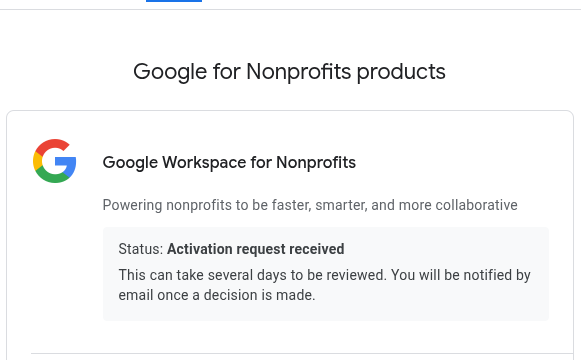
It took a bit of effort on the help line to get to the right person to activate Google Workspace for Nonprofit.
Once I go to the right person, they will then need the information I have already submitted.
I think one way to avoid this ‘one day to go’ is to reach out to Google Help 7 days after applying and move this process along a bit faster.
In this case, I received an email from Google.
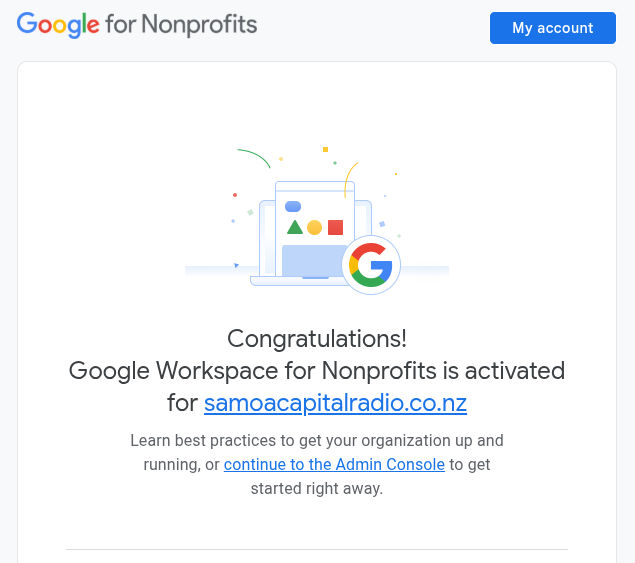
Then, in Google Billing -> Subscriptions under https://admin.google.com, I have:
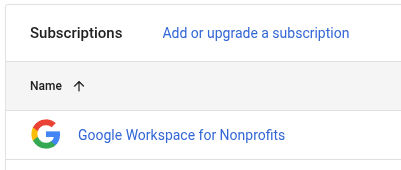
So now we are all good and running on a Google for Non-Profit.
reach out to me if you have any issue. aiprofile@ywam.life
Pros & Cons
Of Using Google for non-profits.
Pros
The non-profit package.
- 2,000 users. 100TB cloud storage each
- Professional email addresses at your nonprofit’s domain
- Shared Drives
- Gmail, Calendar, Drive, Docs, Google Meet, Google Chat, and more
- Video conference for up to 100 people with Google Meet
Management / Security
- Being able to manage ministry resources with good branding
- Being able to recover an email address if the person involved leaves or the password is lost.
- Alerts when there are suspicious logins to a ywamphilippines.org account
- Able to manage and see issues around logins.
Website Integration
- Google Forms for a one place management of preliminary application
- Google Shared Drives for collaborative working across Ministries and Locations.
- Google Photos for sharing ministry photos for presentations and websites.
Internet Dependant
- While having an internet connection provides you with the best Workspace, it is not totally necessary.
- Install Google Drive locally to have access to your documents off line.
Immature Features
- Many features are immature.
- But maybe only for the power user.
- Google Workspace is under constant development with new features added that do not require you to install a new version of Google Workspace, unlike Microsoft Office.
Mature features
- Collaborative Editing.
- Unlike Microsoft Office, many people can be in the same document at the same time.
- You see everyone else curser.
- You can chat with them.
- Edit simultaneously from anywhere in the world.
- Third Party Features, almost any issue my customers have presented me with have had a solution I could add in to their account, generally at no cost.
Cons
Big Tech.
- We are using a company and business that sucks up huge amounts of information.
- However, they are sucking this information up regardless of if we use them or not.
- Equally, anyone who is using Apple or Windows 10 is already letting Big Tech see everything they have and do.
Security Breaches
- The possibility of a Security Breach, where someone at Google spies on you because you are Christian is not zero.
- However, if there is a security breach occurs, if there is a compromising in some form of sensitive information, it is far more likely it occurs as a result of a staff member leaking it, not Google leaking it.
Learning Curve
- Google Workspace is a big platform.
- There is a lot to learn.
- Need to not bite off more than you can chew.
- There needs to be training for staff.
- There is a need to have Tech Angels on call.
Internet Dependant
- Needs the Internet to work.
- This is somewhat true.
Immature Features
- Google Meet is not up to the standard of Zoom
- Google Docs is not up to the standard of Microsoft Word
- Google Sheets is not up to the standard of Microsoft Excel.
- Google Slides is not up to the standard of Microsoft PowerPoint.
Eligible Countries
As of November 2025.
Afghanistan
Albania
Algeria
Andorra
Angola
Antigua and Barbuda
Argentina
Armenia
Australia
Austria
Azerbaijan
Bahamas
Bahrain
Bangladesh
Barbados
Belgium
Belize
Benin
Bhutan
Bolivia
Bosnia and Herzegovina
Botswana
Brazil
Brunei
Bulgaria
Burkina Faso
Burundi
Cambodia
Cameroon
Canada
Cape Verde
Central African Republic
Chad
Chile
Colombia
Comoros
Congo (Brazzaville)
Costa Rica
Côte d’Ivoire
Croatia
Cyprus
Czechia
Democratic Republic of the Congo
Denmark
Djibouti
Dominica
Dominican Republic
Ecuador
Egypt
El Salvador
Equatorial Guinea
Eritrea
Estonia
Ethiopia
Fiji
Finland
France
Gabon
Gambia
Georgia
Germany
Ghana
Greece
Grenada
Guatemala
Guinea
Guinea-Bissau
Guyana
Haiti
Honduras
Hong Kong
Hungary
Iceland
India
Indonesia
Iraq
Ireland
Israel
Italy
Jamaica
Japan
Jordan
Kazakhstan
Kenya
Kiribati
Kuwait
Kyrgyzstan
Laos
Latvia
Lebanon
Lesotho
Liberia
Libya
Liechtenstein
Lithuania
Luxembourg
Macau
Madagascar
Malawi
Malaysia
Maldives
Mali
Malta
Marshall Islands
Mauritania
Mauritius
Mexico
Micronesia
Moldova
Monaco
Mongolia
Montenegro
Morocco
Mozambique
Namibia
Nauru
Netherlands
New Zealand
Nicaragua
Niger
Nigeria
North Macedonia
Norway
Oman
Pakistan
Palau
Palestine
Panama
Papua New Guinea
Paraguay
Peru
Philippines
Poland
Portugal
Puerto Rico
Qatar
Romania
Rwanda
Saint Kitts and Nevis
Saint Lucia
Saint Vincent and the Grenadines
Samoa
San Marino
Sao Tome and Principe
Saudi Arabia
Senegal
Serbia
Seychelles
Sierra Leone
Singapore
Slovakia
Slovenia
Solomon Islands
Somalia
South Africa
South Korea
Spain
Sri Lanka
Suriname
Swaziland
Sweden
Switzerland
Taiwan
Tajikistan
Tanzania
Thailand
Timor-Leste
Togo
Tonga
Trinidad and Tobago
Tunisia
Turkey
Turkmenistan
Tuvalu
Uganda
Ukraine
United Arab Emirates
United Kingdom
United States
Uruguay
Uzbekistan
Vanuatu
Vatican City
Venezuela
Vietnam
Yemen
Zambia
Zimbabwe
What We Can Do For You
We offer website hosting.
And we offer lessons in learning WordPress.

Gmail
Gmail, but under your own Domain Name.

Drive
35 GB of storage for every user.

Calendar
Personal Calendars. Country Calendars.
Shared Calendars.

Classroom
Create & Manage all your schools for your whole Country
Start the ball rolling.
Go ahead and contact us at sitemaster@ainet.biz.
We live in Kona Hawaii and can do a Google Meet with you to outline what needs to happen next.
Prepare ahead of time
Do you have a charity’s number?
Do you have a TAX ID as a non-profit?
Do you have documents of incorporation?